
Every single day, thousands of new tutorial videos are uploaded to YouTube. Some of these videos quickly gather hundreds of thousands of views, while others sit quietly with almost zero traffic.
If you are creating software tutorials, coding guides, or digital product reviews, you might be wondering why your channel is not growing as fast as you want it to. Often, creators blame the YouTube algorithm, thinking it is just bad luck.
But the truth is much simpler. The YouTube algorithm only cares about one major metric: Audience Retention.
Audience retention simply means how long someone watches your video before clicking away. If people watch your video all the way through, YouTube thinks, "This is a great video!" and recommends it to more people. If viewers click away after ten seconds, YouTube stops showing your video to anyone.
When it comes to digital tutorials, the number one reason viewers click away early is a poor screen recording. If your screen is hard to read or confusing to follow, the viewer will leave to find a better video.
Here is a simple, proven recipe to upgrade your screen recordings, boost your audience retention, and get the YouTube algorithm to start pushing your channel faster.
Stack it with Best Screen Recorder for YouTube Tutorial Creators and the retention psychology breakdown in The Psychology of Zoom: Why It Matters for Viewer Retention.
The 3-Step Recipe for High-Retention Tutorials
To keep viewers watching, you have to make the viewing experience completely effortless for their brains and their eyes. Here is how the top YouTubers do it.
Step 1: Design for Mobile Phones (The Zoom Rule)
The biggest mistake new creators make is forgetting how their audience watches videos. More than half of all YouTube traffic comes from mobile phones.
If you record your entire 15-inch computer monitor and do not zoom in, a viewer watching on a 6-inch phone screen will not be able to read any of the text. They will not be able to see which buttons you are clicking. Frustrated, they will immediately leave your video.
The Fix: You must use strategic zooming. Whenever you type in a search bar, click a menu, or highlight an important piece of code, the video needs to zoom in closely on that action. This makes the video fully accessible to mobile users, keeping them engaged.
Step 2: Stop the Jumpy Mouse
Think about how you naturally use a computer. You probably move your mouse around quickly, sometimes shaking it while you think about what to do next.
In a YouTube video, a fast, jumpy mouse cursor is incredibly annoying to watch. It creates a chaotic visual experience that distracts the viewer from what you are actually trying to teach them.
The Fix: You need to present a calm, professional environment. Your mouse should glide smoothly and deliberately from one point to the next, acting as a gentle pointer rather than a frantic distraction.
Step 3: Upgrade Your Background
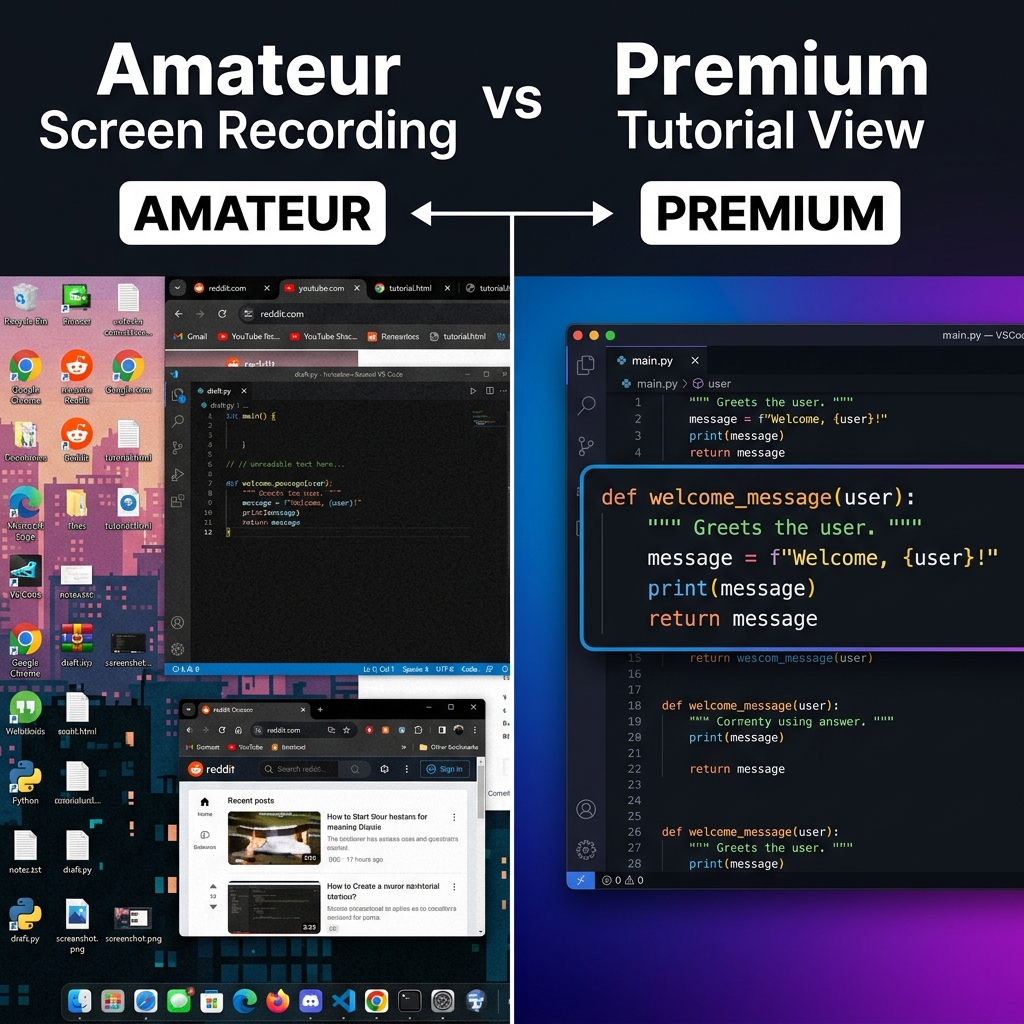
Viewers form an opinion about your video within the first three seconds. If your screen recording begins by showing a messy computer desktop filled with personal files, random folders, and a boring wallpaper, it instantly looks amateur.
The Fix: Trust is built through visual quality. Before you record, hide your icons and use a clean, dynamic background. It makes your content look like it belongs on a premium, professional tech channel.
Packaging That Protects Retention (Beyond the Recording)
Even a clear screencast can die in the first thirty seconds if the promise is vague. Titles and thumbnails set expected value; the opening line confirms it. Chapters help mobile viewers skip without abandoning—especially in long software tutorials. For a focused take on early drop-off, read Why Your Tutorial Videos Lose Viewers in the First 30 Seconds.
How to Do This Without Working 100 Hours a Week
You can follow this recipe with manual keyframing—or you can move polish into capture so weekly uploads stay realistic.
Cubix Capture applies auto-zoom, smooth cursor motion, and live backgrounds while you record so the file is presentable when you stop, which helps channels that win on consistency plus perceived production value.
Related reading: