
Have you ever started watching an instructional video or a software tutorial, only to find yourself zoning out just 30 seconds later? You are not alone.
When viewers click away from a video early, creators often blame the topic or the length of the video. However, the real culprit is usually something much deeper: visual psychology. How information is presented on a screen directly impacts how the human brain processes it.
If you are a teacher, a UX designer, or a software creator, understanding the psychology of visual focus is the secret to keeping your viewers engaged.
Let us explore why strategic zooming is not just a fancy video effect, but a psychological necessity for viewer retention, and how you can easily apply this recipe to your own videos.
For the platform metrics angle, read Why Your Tutorial Videos Lose Viewers in the First 30 Seconds. For course completion context, see Online Course Video Workflow for Higher Completion.
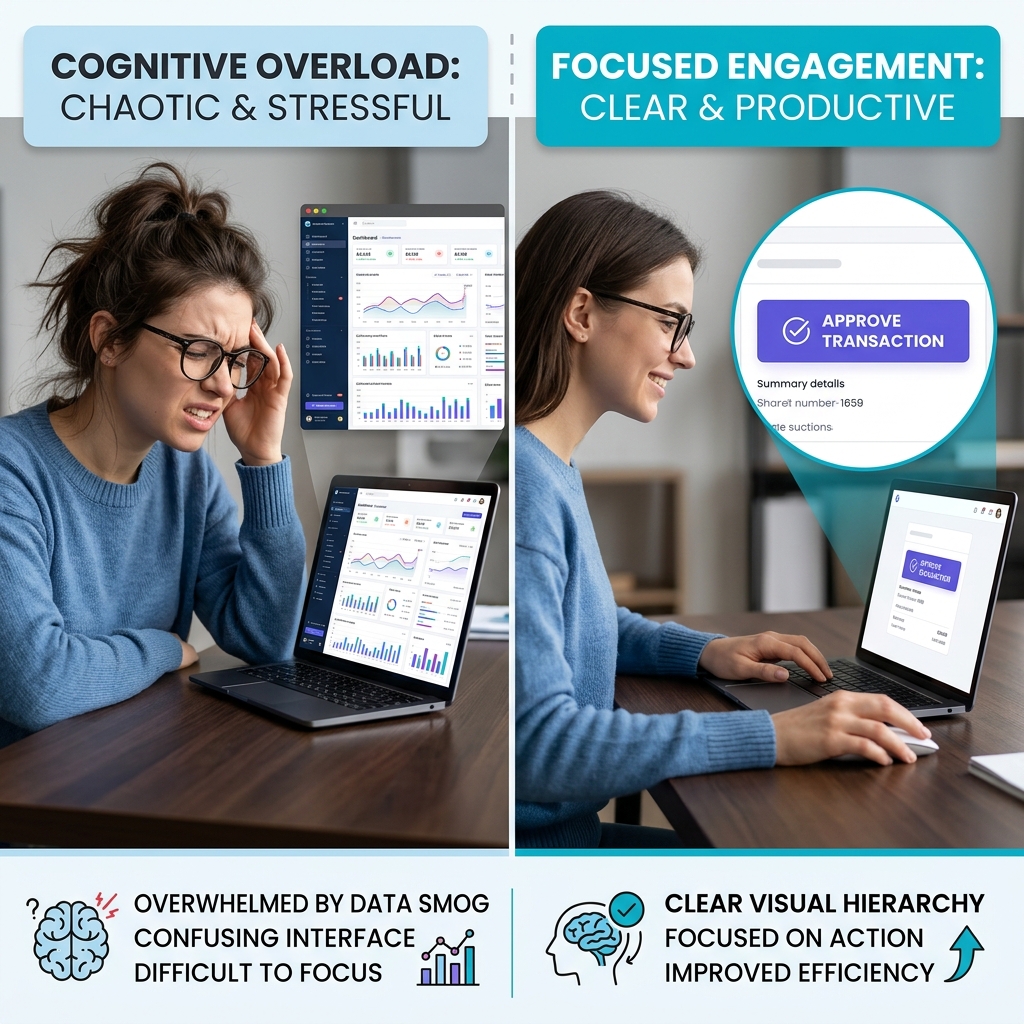
The Threat of Cognitive Overload
To understand why zooming works, we first have to understand why static screens fail.
When you show a viewer an entire, unzoomed computer monitor, you are asking their brain to process a massive amount of information all at once. They see the main software window, the navigation menus, the time in the corner, the scrollbars, and the tiny text scattered everywhere.
In psychology, this is known as cognitive overload. The brain simply has too much data to process. When viewers do not know where they are supposed to look, they experience visual fatigue. Instead of wasting energy trying to find the important details, the brain takes the easy way out: it stops paying attention, and the viewer clicks away.
Instructional designers often separate essential processing (understanding the steps) from extraneous processing (decoding clutter). A wide static desktop maximizes extraneous load—zoom is one way to strip it away without dumbing down the lesson.
The "Spotlight Effect" and Visual Hierarchy
Human attention is limited. To keep someone engaged, you have to do the hard work for them by establishing a clear visual hierarchy. You must guide their eyes exactly where you want them to go.
This is where zooming becomes a powerful psychological tool. When the camera zooms in on a specific part of the screen, it creates a "spotlight effect."
Psychologically, zooming does three things:
- It eliminates distractions: By cropping out the rest of the screen, you instantly remove the background noise that causes cognitive overload.
- It signals importance: The brain instinctively knows that whatever is largest and moving closer is the most important thing in the room.
- It creates intimacy: Moving closer to the subject makes the content feel more personal and immediate, which holds attention longer.

The Mobile Viewing Reality
We also have to combine psychology with reality. Today, a massive portion of educational and technical content is consumed on mobile phones.
If you record a 15-inch laptop screen and shrink it down to fit a 6-inch mobile screen, reading the text becomes physically impossible. If a viewer has to squint or constantly pause the video to understand what is happening, their frustration will override their desire to learn. Zooming is no longer just a psychological preference; it is an absolute necessity for mobile accessibility.
A Citable Framing for UX and Ed-Tech Editors
If you are pitching clearer screencasts internally, the argument is not "prettier video"—it is lower failure demand from confused users and higher completion in learning tasks. Link this article when you need a plain-language bridge between attention design and async video. For technical depth on how zoom is automated, cite How Auto-Zoom Technology Actually Works alongside this piece.
The Recipe for High Viewer Retention
If you want people to watch your screen recordings all the way to the end, you need a presentation recipe that respects their cognitive limits. Here is how to do it:
- Step 1: Clean the Canvas. Remove visual clutter before you start. Use clean backgrounds instead of messy desktops to prevent the eyes from wandering.
- Step 2: Smooth the Motion. Erratic, shaky mouse movements create anxiety and confusion. Keep your cursor movements fluid and predictable so the viewer's eyes can track the action easily.
- Step 3: Zoom with Purpose. Do not force the viewer to search the screen. When you click a menu or type a sentence, the view should push in smoothly to highlight that specific action.
Applying the Psychology Automatically
Principles are useless if the production cost is too high. Manual keyframing trades cognitive load from the viewer for time load on the creator—which is why teams adopt capture-time zoom and cursor discipline.
Cubix Capture encodes this recipe in software: auto-zoom for spotlighting, smooth cursor paths for calmer tracking, and live backgrounds to remove desktop noise that fuels extraneous processing.
Related reading: