
Quick verdict (without the fluff)
- Choose Loom when the goal is fast internal communication: replace a meeting, share a link, move on.
- Choose Cubix Capture when the goal is public comprehension: tutorials, demos, courses, marketing walkthroughs—where viewers judge you on clarity and production quality.
They are not mortal enemies; many teams should use both—Loom for ops chatter, Cubix Capture for assets that represent the brand.
If you want a creator-centric alternatives roundup, jump to Loom Alternatives: 7 Better Screen Recorders for Creators.

What Loom is optimized for (and why it wins that job)
Loom popularized async video as messaging:
- Hit record
- Narrate while showing a tab or screen region
- Share a link instantly
That workflow is unbeatable when fidelity requirements are low and speed is everything—engineering triage, sales follow-ups, internal handoffs.
Where teams feel friction is not “Loom vs screen recording”—it is expectations mismatch: using a messaging-optimized recorder when the audience behaves like content consumers.
Where Loom commonly breaks for creators
Mobile readability
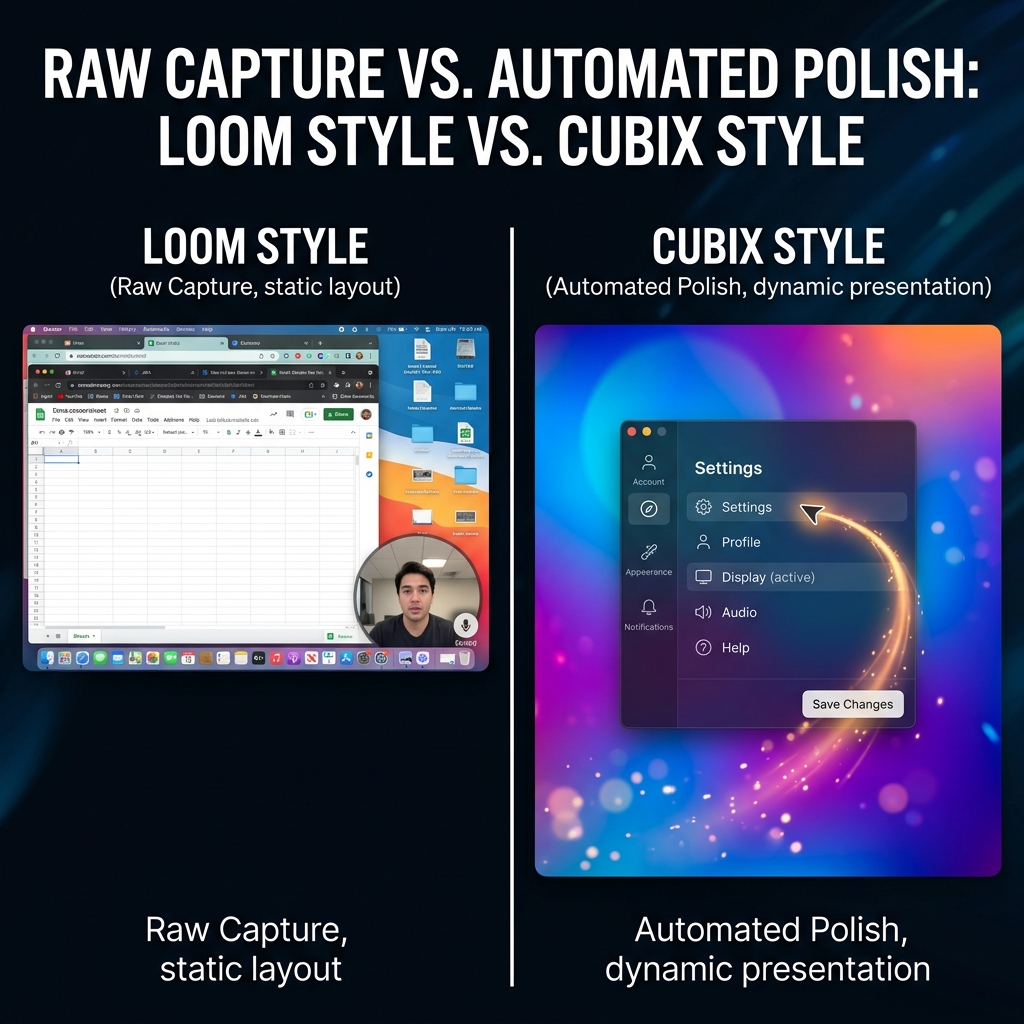
Most growth-facing videos are watched on phones. A wide desktop capture shrinks UI text unless you reframe—either manually in an editor or automatically at capture time.
Cursor chaos under scrutiny
Internal viewers forgive jitter. Public viewers subconsciously read jitter as “complex software.”
Brand staging
Tabs, bookmarks, notifications, desktop clutter—fine for internal nuance; risky for customer-facing narratives.
This is not “Loom is bad.” It is “wrong tool for cinematic outcomes.”
What Cubix Capture is optimized for
Cubix Capture targets presentation-grade screencasts without forcing an editing phase:
- Auto-zoom tracks interaction so text stays readable on small screens.
- Smooth cursor motion reduces visual anxiety during UI storytelling.
- Live backgrounds keep frames consistently on-brand.
Think of it as moving the “finish line” from export-from-NLE to stop recording.
Conceptual background: What Is Auto-Zoom Screen Recording? (Complete Guide).
Cubix Capture vs Loom: comparison table
| Dimension | Loom | Cubix Capture |
|---|---|---|
| Primary output | Shareable async clip | Polished tutorial/demo asset |
| Viewer context | Colleagues who already care | Strangers who can leave instantly |
| Mobile readability | Depends on raw capture | Designed around guided zoom |
| Best workflow win | Speed + distribution | Capture-time polish |
| Ideal metric | Time-to-link | Watch-through + comprehension |
Decision framework: ask three questions
- Will this video compete for attention on the open internet? If yes, bias toward Cubix Capture.
- Is comprehension more important than seconds-to-send? Customer education usually answers yes.
- Will someone re-watch this months later? Evergreen tutorials reward staging + readability.
Pricing and stack realities (2026)
Trying to make Loom behave like a finishing tool usually means adding an editor—which defeats the speed advantage.
Cubix Capture’s positioning matters for teams publishing repeatedly: protect throughput without expanding headcount.
Related Windows angle: Cubix Capture vs Screen Studio: Free Alternative for Windows.
FAQ
Is Cubix Capture a “Loom killer”?
No—and it should not be framed that way. Loom is excellent at workplace messaging. Cubix Capture targets creator-grade outcomes.
Can I replace Loom entirely?
If your company only produces customer-facing walkthroughs and courses, you might. If you produce thousands of internal micro-updates, Loom may remain ideal.
Where should I start with Cubix Capture?
Begin at Cubix Capture. For installs: Windows · Mac.
Bottom line
In 2026, “best” depends on distribution context. For creators building durable assets—Cubix Capture is the modern default.
Related reading