
The Moment Everything Changed
You spent weeks creating the perfect video. The script was tight. The delivery was flawless. The editing was clean. You hit publish, expecting it to resonate.
And then... crickets.
Stop losing viewers to the mute button. Let TARS handle the transcription. Start your 3-day free trial and auto-generate perfectly synced, styled captions in seconds. Start 3-Day Free Trial
The analytics tell a brutal story: people clicked, but they didn't watch. They scrolled past within seconds. Your carefully crafted message never reached them, not because the content wasn't good, but because they couldn't hear it.
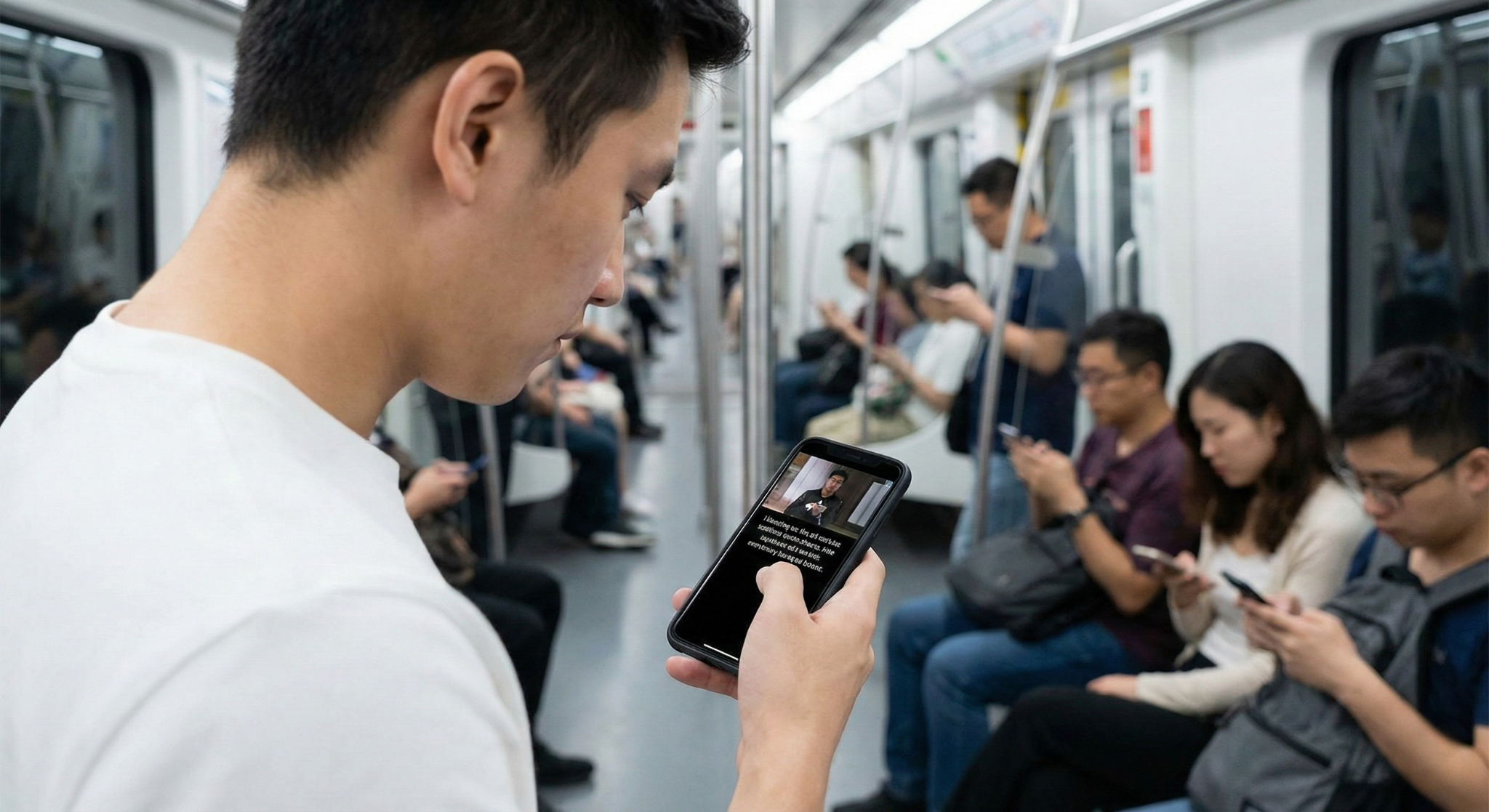
Maybe they were on the train. Maybe they were at their desk pretending to work. Maybe they were scrolling in bed with their partner asleep next to them. Maybe they're part of the 466 million people worldwide who are deaf or hard of hearing.
Without captions, your video doesn't exist to them.
But here's the transformative part: adding captions used to mean hours of transcription work, expensive freelancers, or clunky manual typing. It was the kind of task that always got pushed to "later" which usually meant "never."
Not anymore.
Auto-generated captions powered by AI speech recognition have completely eliminated that barrier. Now, professional-quality captions appear on your video timeline in minutes, accurately synced to every word you speak, without you typing a single character.
This isn't just a convenience feature. It's the difference between content that reaches 30% of your potential audience and content that reaches 100%. It's the line between accessibility and exclusion. Between discovery and obscurity.
Let's talk about why this matters and why, if you're creating video content in 2025 and you don't automatically add subtitles to a video, you're leaving money, reach, and impact on the table.
What Are Auto-Generated Captions?
Auto-generated captions (also called automatic subtitles, AI captions, or speech-to-text captions) are text overlays that appear on your video, synchronized precisely with the spoken words, created automatically by artificial intelligence without manual transcription.
Here's how it works in modern AI video editors:
- You upload or edit your video whether it's a talking-head video, interview, tutorial, product demo, or vlog
- The AI analyzes the audio track using advanced speech recognition technology
- It transcribes every word spoken into text with timestamps for exactly when each word is said
- Captions are generated and placed on your timeline perfectly synced, formatted, and ready to customize
- You can edit, style, and adjust changing colors, fonts, positioning, or fixing any transcription errors using the best AI tool for video captions you can find.
Ready to make your content truly unstoppable? Drop your raw video into our agentic video editor and watch the AI subtitle generator do the heavy lifting. Try it free for 3 days. Auto-Generate Captions Now
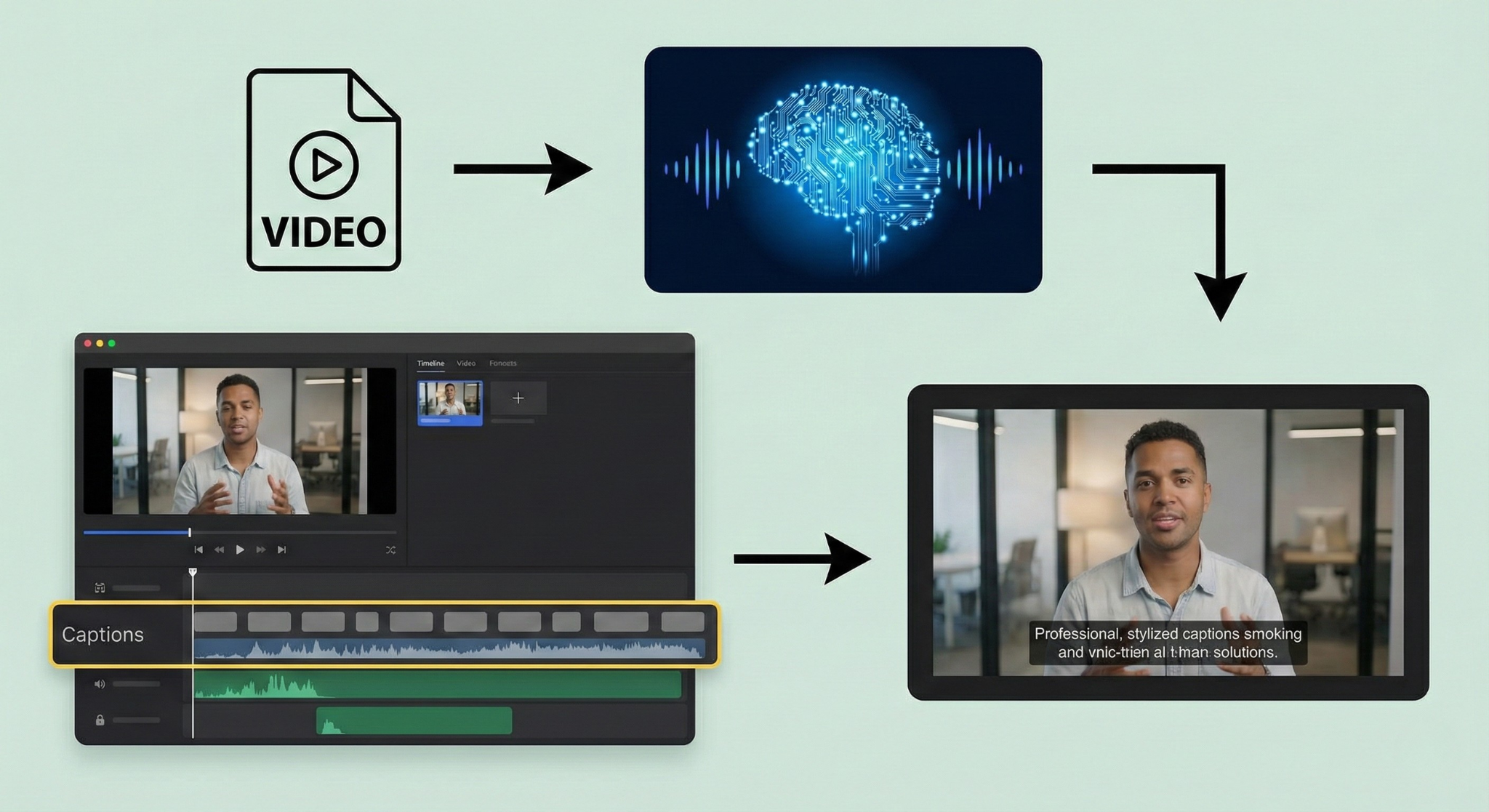
The entire process takes minutes, not hours. And the result is a video that's more accessible, more engaging, and more effective at reaching the audience you worked so hard to create content for.
What Can An AI Subtitle Generator Actually Do?
Modern AI subtitle generator tools have evolved far beyond basic transcription. Here's what they're capable of:
🎯 Accurate Speech Recognition Across Accents and Environments
AI caption generators are trained on millions of hours of speech data across different accents, languages, dialects, and recording conditions. Whether you have a regional accent, speak quickly, or recorded in a less-than-perfect environment, the AI adapts and delivers accurate transcription.
🌍 Multi-Language Support
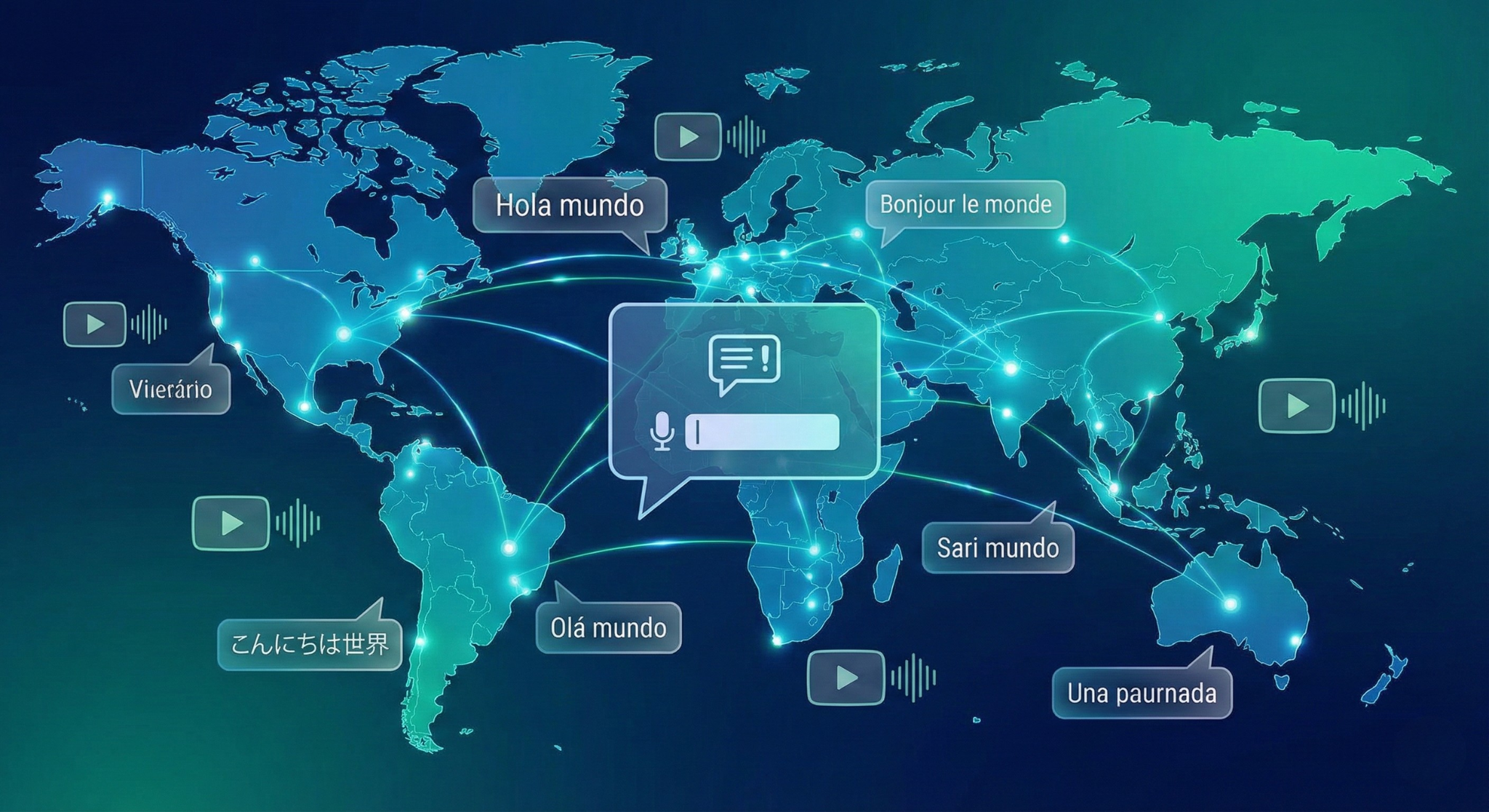
The best AI video editors support captions in dozens of languages not just English. Spanish, French, German, Portuguese, Hindi, Japanese, Mandarin, and more. Some even offer automatic translation, letting you use an auto caption generator on your English video and generate Spanish subtitles automatically.
⚡ Real-Time or Batch Processing
Need captions for one video? Done in minutes. Need captions for an entire content library? Batch processing handles hundreds of videos in a single workflow applying consistent caption styling across all of them.
🎨 Customizable Caption Styling
Auto-generated doesn't mean generic. You control:
- Font style and size matching your brand aesthetic
- Colors and backgrounds high contrast for readability or transparent for minimal distraction
- Positioning top, bottom, center, or custom placement
- Animation styles word-by-word highlights, fade-ins, karaoke-style reveals
- Text formatting bold, italic, all caps, sentence case
📝 Editable Transcripts
AI is smart, but it's not perfect. Every good auto-caption tool gives you an editable transcript where you can quickly scan for errors, correct names or technical terms, and adjust timing if needed. Most errors take seconds to fix infinitely faster than creating captions from scratch.
📊 Exportable Formats
Need SRT files for YouTube? VTT files for web players? Burned-in captions (hardcoded into the video itself)? Modern AI caption tools export in all standard formats, making your content compatible with every platform.
🔍 SEO-Optimized Transcripts
Many tools auto generate captions and full text transcripts from your audio, which you can publish alongside your video. Search engines can't watch videos but they can read transcripts. This means better rankings, more discoverability, and more organic traffic.
Why Auto-Generated Captions Matter More Than Most People Realize
Let's cut through the noise and talk about the real, measurable impact of adding captions to your videos.
📈 Massive Reach Increase
80% of people who use captions aren't deaf or hard of hearing. They're watching in sound-off environments: public transportation, workplaces, waiting rooms, libraries, late at night, or during meetings they're only half-paying attention to.
When Verizon Media ran internal tests, they found that captioned videos had a 40% increase in view completion rate compared to non-captioned videos. Facebook reported that captioned video ads increased view time by an average of 12%.
You're not adding captions for a niche audience. You're adding them for the majority.
♿ Video Accessibility Is Non-Negotiable
466 million people worldwide have disabling hearing loss. In many countries, video accessibility isn't just good practice it's legally required under regulations like the Americans with Disabilities Act (ADA), the European Accessibility Act, and similar laws globally.
But beyond compliance, there's something deeper: accessibility is empathy in action. It says, "I created this content for you too. You matter to me." When you add subtitles to video, you're proving you care about every single viewer.
That emotional resonance builds loyalty, trust, and community in ways that pure content quality alone never can.
🔍 SEO and Discoverability Explode
Search engines can't "watch" your video. But they can read your captions and transcripts.
When you publish captions and transcripts with your video, you're giving Google, YouTube, and other search engines hundreds or thousands of words of keyword-rich, topically relevant text content to index. This means:
- Better rankings for search queries related to your video topic
- More featured snippets pulled from your transcript text
- Higher click-through rates from search results that show keyword matches in your transcript
- Longer on-page time as visitors watch captioned videos to completion
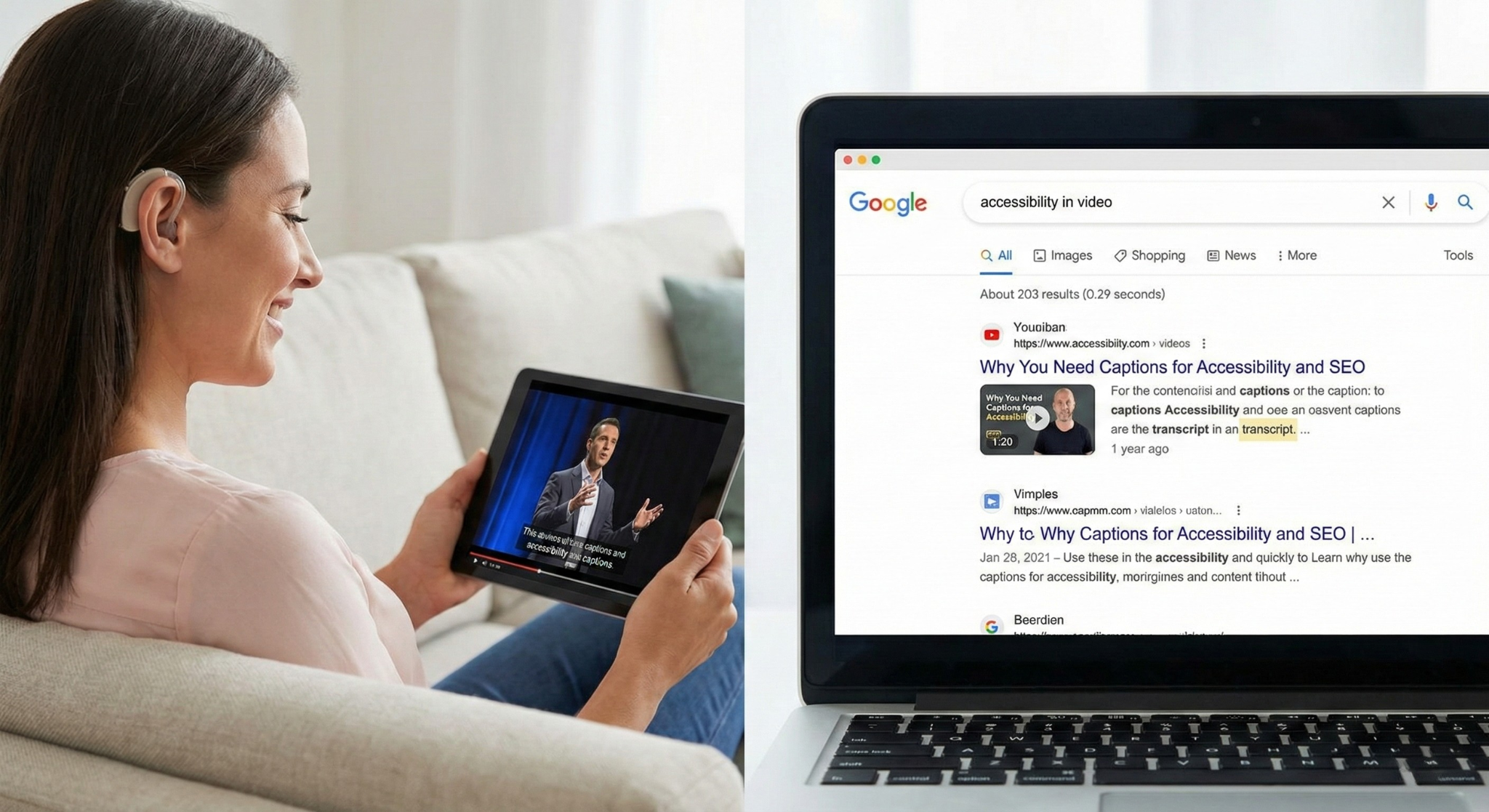
Videos with captions have been shown to rank higher in YouTube search results and get more recommended views because the algorithm understands what the video is about with greater precision.
🌐 Global Audience Expansion
Auto-translated captions break language barriers. A video you recorded in English can be captioned in Spanish, French, Portuguese, or Mandarin making your content accessible to billions of additional viewers worldwide.
Creators who add multi-language captions report significant international viewership growth, opening up revenue streams and audience segments they never anticipated.
💰 Higher Conversion Rates
Captions increase comprehension. When viewers can both see and read what you're saying, message retention skyrockets.
For product demos, educational content, sales videos, and marketing material, this directly translates to better conversion metrics:
- Higher course completion rates for online education
- Better ad performance for paid social campaigns
- Increased product demo engagement for SaaS and e-commerce
- More leads generated from gated video content
One major online retailer found that adding captions to product videos increased purchases by 16%.
Who Needs Auto-Generated Captions?
Honestly? Everyone creating video. But let's break down the specific use cases where captions become absolutely mission-critical.
🎬 Content Creators and YouTubers
You're fighting for every second of watch time. Captions keep viewers locked in even when they can't turn on sound which is most mobile viewing sessions. They also make your content more shareable across social platforms where autoplay is muted by default.
What it solves: Low watch time, poor social media performance, limited accessibility, weak SEO rankings.
📱 Social Media Marketers
Instagram, TikTok, LinkedIn, Facebook, Twitter all of these platforms autoplay video with sound OFF. If your video doesn't have captions, viewers scroll right past. Captions are what stop the scroll. They're the difference between 5% and 85% view completion on paid ads.
What it solves: High scroll-through rates, low ad engagement, wasted ad spend, poor organic reach.
🎓 Online Educators and Course Creators
Your students are learning in diverse environments and situations. Some are non-native speakers. Some have hearing impairments. Some are reviewing lessons at 2x speed. Captions ensure that everyone can learn effectively, regardless of their circumstances.
What it solves: Accessibility complaints, low completion rates, poor student satisfaction, compliance issues.
💼 Corporate and Enterprise Teams
Training videos. Product demos. Internal communications. Webinars. Investor presentations. These videos represent your organization's professionalism and commitment to inclusion. Captions signal that you take both seriously.
What it solves: Accessibility compliance risks, low training engagement, poor brand perception, limited global reach.
🎙️ Podcasters Creating Video Content
Podcasts are moving to video. But most listeners still consume audio-first. When your podcast clips hit social media, captions are what make them watchable without headphones which is how 90% of social video is consumed.
What it solves: Limited social shareability, poor clip performance, missed discovery opportunities.
🛒 E-Commerce Brands and Product Marketers
Product demo videos with captions see measurably higher conversion. When customers can read along with your demonstration, they understand features better, retain information longer, and feel more confident making a purchase.
What it solves: Low video-to-purchase conversion, high return rates, poor product understanding.
🏥 Healthcare, Nonprofit, and Public Service Organizations
Accessibility isn't optional here, it's foundational to your mission. Captions ensure your message reaches everyone you're trying to serve, regardless of hearing ability, language proficiency, or viewing environment.
What it solves: Equity gaps, compliance violations, reduced community trust, limited message reach.
When Should You Use Auto-Generated Captions?
The short answer: always.
But let's be specific about the scenarios where captions move from "nice to have" to "absolute necessity":
When publishing to social media. If your video is going on Instagram, TikTok, LinkedIn, Facebook, or Twitter, you must add subtitles to video. No exceptions. These platforms autoplay muted, and viewers make the decision to keep watching in the first 3 seconds before they've even considered turning on sound.
When creating educational or instructional content. Comprehension is your entire job. Captions dramatically increase retention and understanding, especially for complex topics, technical vocabulary, or non-native speakers.
When your audience is global. If you have viewers in multiple countries or who speak different primary languages, captions (especially multi-language captions) make your content accessible across borders and cultures.
When accessibility compliance matters. Educational institutions, government agencies, healthcare providers, and many corporations are legally required to provide captioned video content. Auto-generation makes compliance achievable without massive transcription budgets.
When you want to improve SEO. Every video you publish should have captions for search engine indexing purposes. The transcript is SEO gold that you're leaving on the table without captions.
When you're repurposing content. Turning a webinar into social clips? Converting a podcast into video snippets? Editing a long-form video into shorts? Auto-captions make this workflow 10x faster and ensure every piece of derivative content is accessible.
How Auto-Generated Captions Compare to Manual Captioning
Let's be realistic about what manual captioning actually involves.
You watch your video. You type what you hear. You rewind constantly. You timestamp every line. You sync the text to the audio. You format it for readability. You proofread for errors. You export in the right format.
For a 10-minute video, this takes 2 to 4 hours of focused, tedious work. For professional human transcription services, it costs $1 to $3 per minute of video that's $10 to $30 for a 10-minute video, $100 to $300 for a one-hour webinar.
Now consider an AI subtitle generator:
Time required: 2 to 5 minutes for transcription + 5 to 10 minutes for light editing = under 15 minutes total.
Cost: Usually included in your video editing software subscription, or pennies per minute if billed separately.
Accuracy: 90 to 98% depending on audio quality, accent, and technical terminology. The 2 to 10% that needs correction takes minutes to fix, not hours to create from scratch.
Scalability: Manual captioning doesn't scale. One person can caption maybe 5 to 8 videos per day. AI can caption 500 videos in the same time frame.
The math is undeniable. Auto-generated captions deliver 95% of the quality in 5% of the time at 2% of the cost.
What Makes AI Auto-Captions Different From YouTube's Auto-Captions?
You might be thinking: "YouTube already auto-generates captions. Why do I need this as a standalone feature?"
Great question. Here's the difference:
YouTube's captions are platform-locked. They only exist on YouTube. If you publish to Instagram, LinkedIn, TikTok, your website, or anywhere else, you're starting from zero.
You can't customize YouTube's captions. Font, color, size, position, animation style all controlled by YouTube. Your brand aesthetic? Doesn't matter.
YouTube captions aren't burned into the video. Many platforms (Instagram Stories, TikTok, LinkedIn native video) don't support external caption files. If captions aren't part of the video itself, they don't appear.
You can't export or repurpose YouTube's captions easily. Want to turn your YouTube transcript into a blog post? Create social media quote graphics? Use the text for SEO? YouTube doesn't make that simple.
AI video editor captions give you full control. Generate once, style to match your brand, export in any format, and use across every platform where your content lives. You own the captions. You control how they appear. You can repurpose them infinitely.
The Emotional Truth About Captions: Why This Feature Matters Beyond the Numbers
Here's something that analytics dashboards don't capture:
Captions are kindness made visible.
When someone who is deaf clicks on your video and sees captions, they don't just think "Oh good, I can watch this." They think "This creator thought of me. This creator values me. This creator made space for me."
When a mom scrolling through Instagram at 2 AM with a sleeping baby in her arms sees your video with captions, she doesn't just think "Convenient." She thinks "Finally, content I can actually consume right now."
When a non-native English speaker watches your tutorial with captions, they don't just think "Helpful." They think "I can actually learn this. I'm not excluded." Figuring out how to automatically add subtitles to a video is the kindest thing you can do for your audience.
Captions are a signal. They say: I made this for everyone.
That emotional generosity that acknowledgment that your audience is diverse, multifaceted, and worthy of consideration builds loyalty that transcends content quality alone.
People don't just remember what you taught them. They remember that you made them feel seen.
Common Questions About Auto-Generated Captions
How accurate are AI-generated captions? Modern AI caption tools achieve 90 to 98% accuracy for clear audio in standard English. Accuracy varies based on audio quality, background noise, accent, speaking speed, and technical jargon. The good news: most tools allow quick manual corrections in an editable transcript interface.
Can auto-captions handle multiple speakers? Yes. Advanced AI caption generators can detect speaker changes and even label different speakers (Speaker 1, Speaker 2, or by name if you configure it). This is essential for interviews, podcasts, panels, and dialogue-heavy content.
What languages are supported? Top AI video editors support 50+ languages including English, Spanish, French, German, Portuguese, Italian, Dutch, Japanese, Korean, Mandarin, Hindi, Arabic, and many more. Some also offer automatic translation between languages.
Can I customize how captions look? Absolutely. You control font, size, color, background, position, animation style, and more. You can match captions to your brand aesthetic or create platform-specific styles (e.g., bold yellow text for TikTok, subtle white for YouTube).
What's the difference between open captions and closed captions? Closed captions are separate text files (like SRT or VTT) that viewers can toggle on/off in the video player. Open captions (also called burned-in or hardcoded captions) are permanently embedded into the video itself and cannot be turned off. Both have use cases; many creators use open captions for social media (where they're always visible) and closed captions for YouTube and websites (where viewers have choice).
Do captions slow down the editing process? The opposite. Auto-captions generate in minutes. Manual captioning takes hours. If you're creating content at scale, auto-captions are what make consistent captioning possible without hiring a full-time transcriptionist.
Can I export captions for use outside the video? Yes! Most tools let you export caption files in standard formats (SRT, VTT, TXT) and full text transcripts. This is incredibly valuable for repurposing content into blog posts, social quotes, podcast show notes, and more.
Are auto-generated captions compliant with accessibility laws? AI-generated captions can meet legal accessibility requirements if manually reviewed for accuracy. Most regulations require captions to be at least 99% accurate. Starting with 95% AI-generated captions and spending 10 minutes on review is far more efficient than starting from zero and still meets compliance when properly edited.
Best Practices for Using Auto-Generated Captions
Getting the most out of AI captions means following a few smart workflows:
✅ Always Review Before Publishing
AI is highly accurate but not perfect. Quickly scan the transcript for:
- Proper nouns (names, brands, products)
- Technical terms or industry jargon
- Homophones (e.g., "there/their," "to/too")
- Punctuation and readability
This usually takes 5 to 10 minutes and ensures professional quality.
✅ Optimize for Readability
- Keep caption segments short (1 to 2 lines max)
- Use high-contrast colors (white text on black background, or vice versa)
- Position captions where they don't cover important visuals
- Use sentence case or title case, not all caps (harder to read)
✅ Match Captions to Platform Norms
- TikTok/Instagram Reels: Bold, large, word-by-word animations
- YouTube: Subtle, bottom-positioned, closed captions
- LinkedIn: Professional fonts, minimal animation
- Facebook/Twitter: Burned-in captions in brand colors
✅ Create Multi-Language Versions for Global Content
If you have international audience segments, generate translated caption versions. This dramatically increases reach and engagement in non-English-speaking markets.
✅ Repurpose Transcripts for SEO
Publish your video transcript as a blog post, webpage copy, or podcast show notes. This gives search engines rich text content to index, improving discoverability.
The Future Is Captioned And It's Already Here
We're living through a fundamental shift in how video content is consumed.
Silent viewing is the default now not the exception. Accessibility is a legal expectation, not a bonus. Multilingual audiences are the norm, not the niche. And search engines reward content they can read and understand.
Auto-generated captions aren't a luxury feature anymore. They're table stakes for anyone who wants their video content to actually reach the audience it was created for.
Every video you publish without captions is a video that:
- Most mobile viewers will scroll past
- Deaf and hard-of-hearing viewers can't access
- Search engines can't fully understand
- International audiences can't enjoy
- Platform algorithms won't favor
That's not an acceptable tradeoff when the solution takes minutes and is built right into modern AI video editors.
The question isn't whether you should add captions. The question is: how much longer are you willing to leave reach, impact, and inclusivity on the table by not using them?
Ready to make your videos accessible, discoverable, and unstoppable? Try auto-generated captions in our AI Video Editor and watch your engagement metrics transform. Because your content deserves to be seen and heard by everyone.
Related Topics You Might Find Helpful:
- How to Add Subtitles to Videos Automatically
- Auto-Caption Your Videos in Multiple Languages
- The Complete Guide to Video Accessibility
- Best Practices for Social Media Video Captions
- How Captions Improve SEO and Video Rankings
- Closed Captions vs. Open Captions: Which Should You Use?
- How to Create Engaging Caption Animations for TikTok and Reels